
 Help centre
Capture a lead
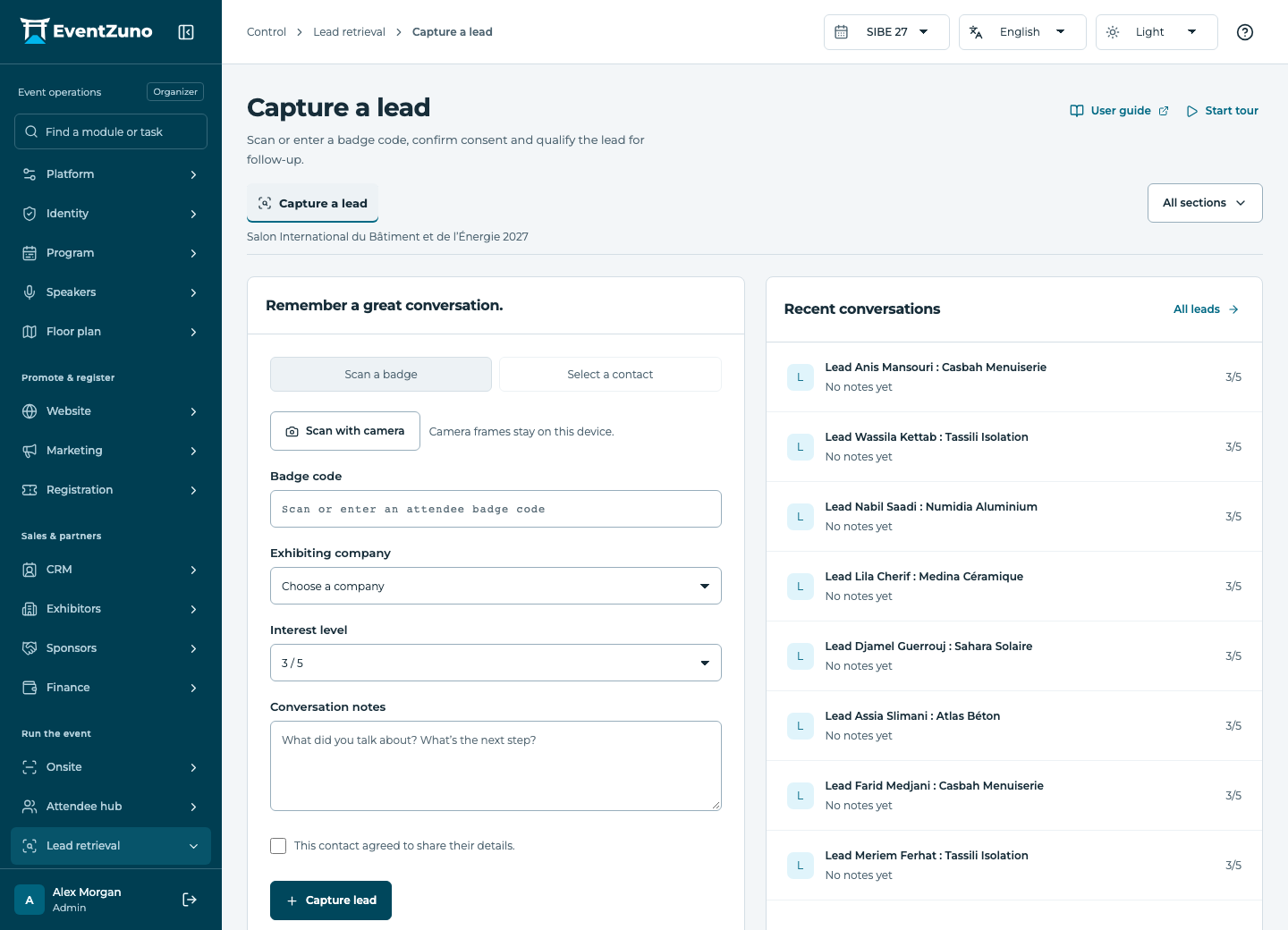
Collect consenting visitor contacts for a company and qualify them for an appropriate follow-up.
Steps
- Select the exhibitor or company on whose behalf you are collecting leads.
- Scan a badge or enter its code manually.
- Confirm the visitor’s consent before storing contact information.
- Add qualification and a follow-up note, then save and check the lead list.
Fields and states
Leads
Scope: Selected event.
States: new, qualified, contacted, converted.
| Field | Format | Required |
|---|---|---|
| Contact Linked to: Contacts | Linked record | Yes |
| Rating | Number | No |
| Notes | Long text | No |
| Answers | Structured settings | No |
| Device Id | Text | No |
| Client Id | Text | No |
| Captured At | Date and time | No |
| Consent | On or off | No |
Contacts
Scope: All events in this deployment.
States: draft, active, archived.
| Field | Format | Required |
|---|---|---|
| Email address | Yes | |
| First Name | Text | Yes |
| Last Name | Text | No |
| Job Title | Text | No |
| Phone | Text | No |
| Interests | Structured settings | No |
| Tags | Structured settings | No |
| Consent | On or off | No |
| Networking Opt In | On or off | No |
| Bio | Long text | No |
| External Id | Text | No |
If something is missing
Check the selected event, your role and the enabled modules. If an action fails, keep the entered details and review the error before retrying. Ask an administrator for access rather than sharing another account.