
 Help centre
Meeting planner
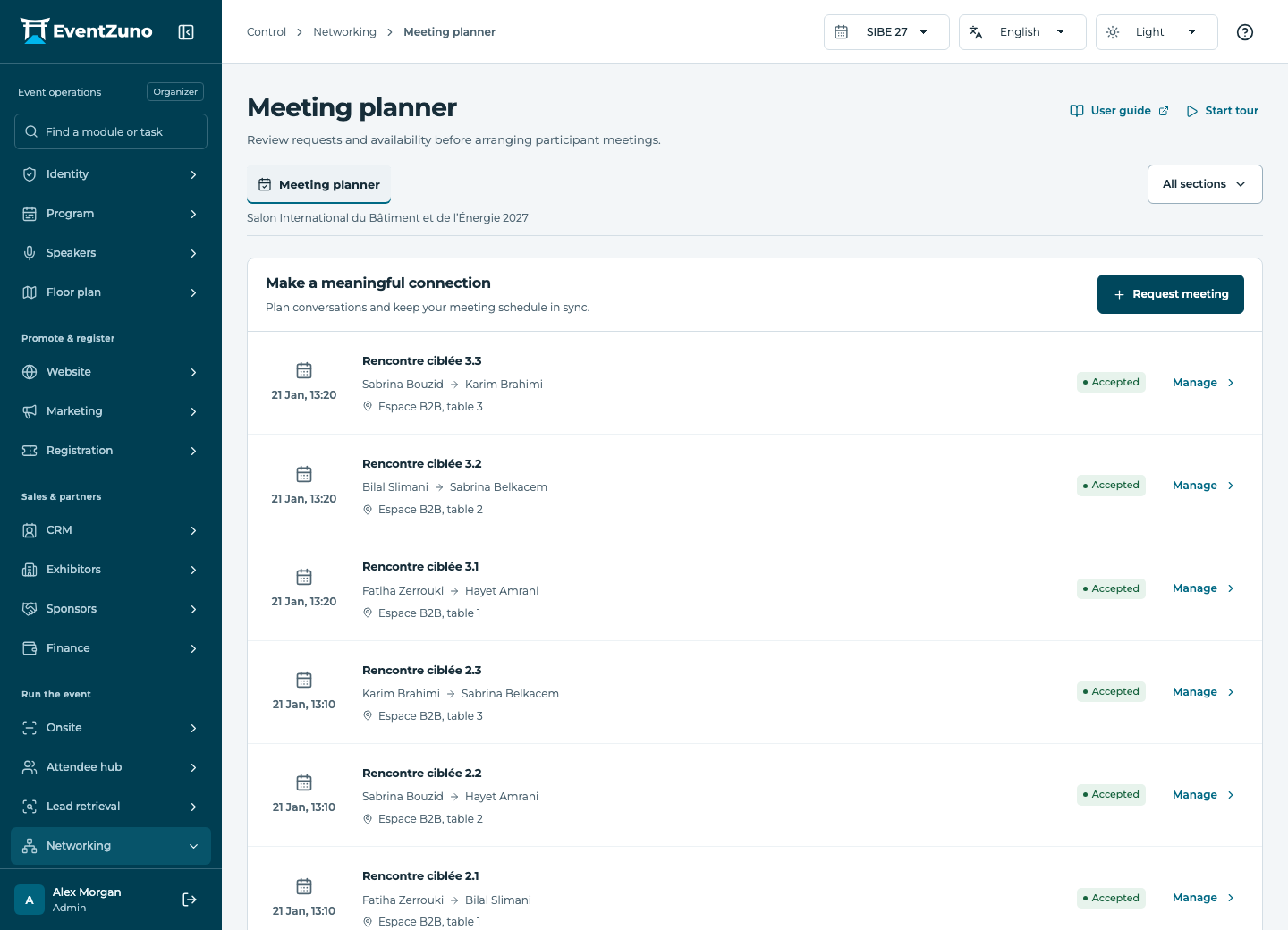
Arrange participant meetings around their availability, preferences and existing commitments.
Steps
- Select participants and inspect their availability and meeting preferences.
- Choose a start, end and location that do not conflict with an existing meeting.
- Send or record the request and track its pending, accepted or cancelled state.
- Review both participants’ agendas after confirmation.
Fields and states
Meetings
Scope: Selected event.
States: requested, accepted, declined, completed, cancelled.
| Field | Format | Required |
|---|---|---|
| Requester Linked to: Contacts | Linked record | Yes |
| Recipient Linked to: Contacts | Linked record | Yes |
| Starts At | Date and time | Yes |
| Ends At | Date and time | Yes |
| Location | Text | No |
| Notes | Long text | No |
Contacts
Scope: All events in this deployment.
States: draft, active, archived.
| Field | Format | Required |
|---|---|---|
| Email address | Yes | |
| First Name | Text | Yes |
| Last Name | Text | No |
| Job Title | Text | No |
| Phone | Text | No |
| Interests | Structured settings | No |
| Tags | Structured settings | No |
| Consent | On or off | No |
| Networking Opt In | On or off | No |
| Bio | Long text | No |
| External Id | Text | No |
If something is missing
Check the selected event, your role and the enabled modules. If an action fails, keep the entered details and review the error before retrying. Ask an administrator for access rather than sharing another account.