
 Help centre
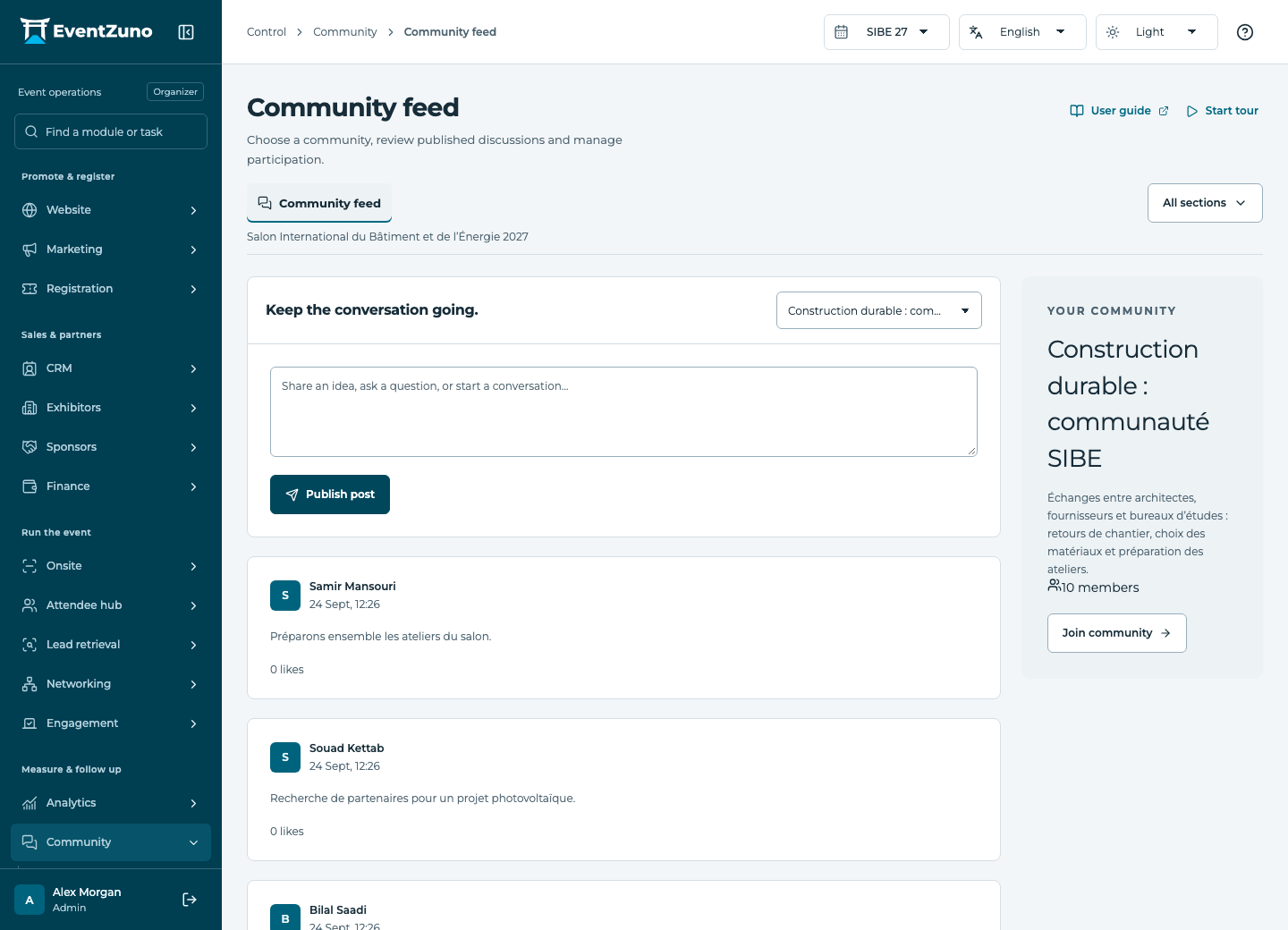
Community feed
Keep community discussions and membership organized beyond a single event edition.
Steps
- Choose the community and inspect membership requirements.
- Review discussions and publish a post when ready.
- Moderate inappropriate content using the available status and actions.
- Check what a member account can read and contribute.
Fields and states
Communities
Scope: All events in this deployment.
States: draft, active, archived.
| Field | Format | Required |
|---|---|---|
| Description | Long text | No |
| Visibility Choices: public, members, private | Choice | No |
| Topics | Structured settings | No |
| Member Count | Number | No |
Community posts
Scope: All events in this deployment.
States: draft, published, moderated, archived.
| Field | Format | Required |
|---|---|---|
| Community Linked to: Communities | Linked record | Yes |
| Author Linked to: Contacts | Linked record | No |
| Body | Long text | No |
| Parent Linked to: Community posts | Linked record | No |
| Tags | Structured settings | No |
| Likes | Number | No |
If something is missing
Check the selected event, your role and the enabled modules. If an action fails, keep the entered details and review the error before retrying. Ask an administrator for access rather than sharing another account.