
 Help centre
Attendee services
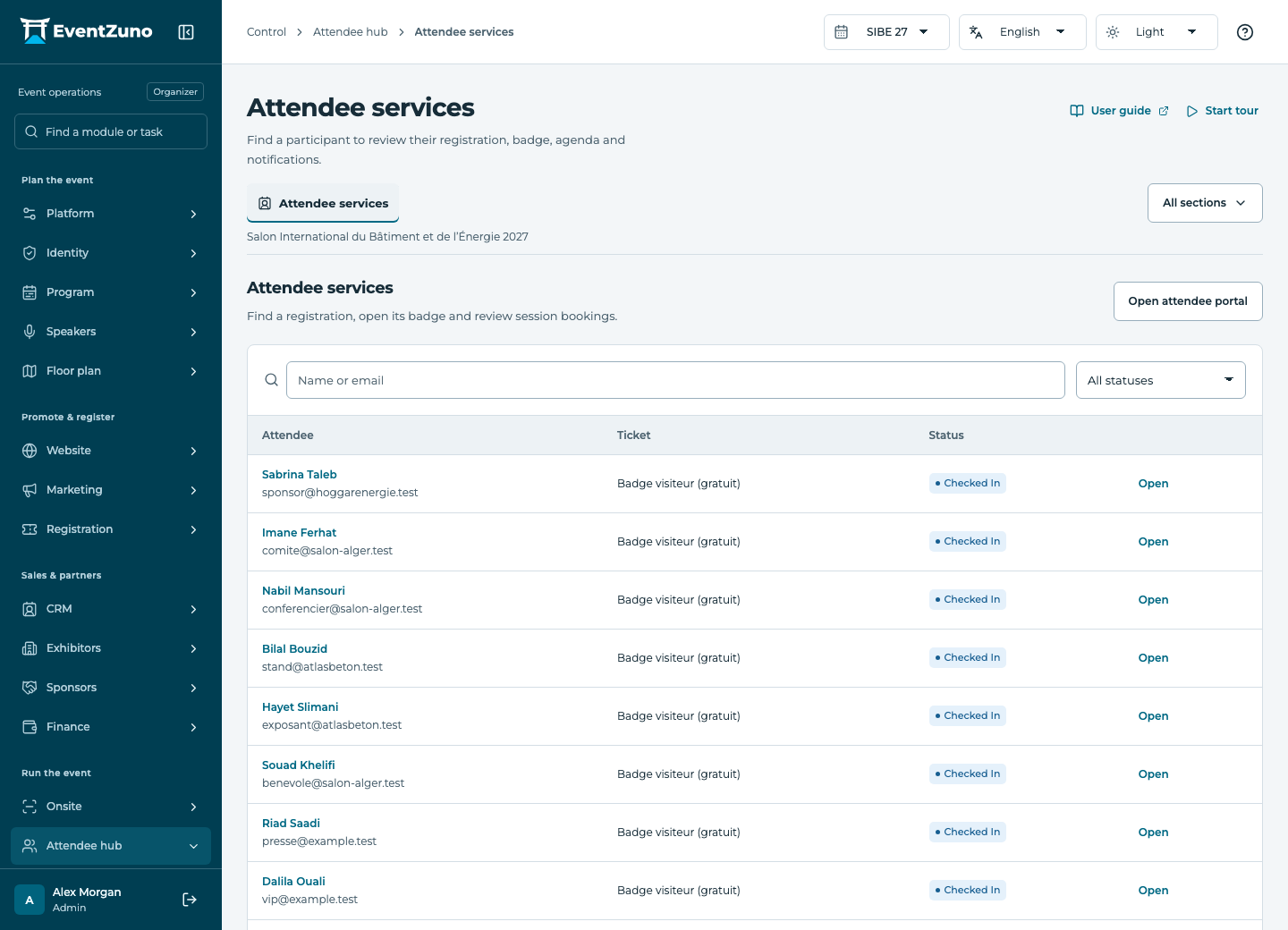
Help registered participants find their badge, agenda and event information in the event website account.
Steps
- Search for the participant using their name or email.
- Open the participant to review registration, badge, agenda and notifications.
- Use the available individual or bulk actions to resend an email or badge only when configured.
- Open the participant portal preview to check visible sections.
Fields and states
Registrations
Scope: Selected event.
States: pending, confirmed, waitlisted, cancelled, checked-in.
| Field | Format | Required |
|---|---|---|
| Contact Linked to: Contacts | Linked record | Yes |
| Ticket Linked to: Tickets | Linked record | Yes |
| Quantity | Number | No |
| Total | Number | No |
| Currency | Text | No |
| Badge Code | Text | No |
| Expires At | Date and time | No |
| Answers | Structured settings | No |
| Group Code | Text | No |
| Request Linked to: Registration applications | Linked record | No |
Contacts
Scope: All events in this deployment.
States: draft, active, archived.
| Field | Format | Required |
|---|---|---|
| Email address | Yes | |
| First Name | Text | Yes |
| Last Name | Text | No |
| Job Title | Text | No |
| Phone | Text | No |
| Interests | Structured settings | No |
| Tags | Structured settings | No |
| Consent | On or off | No |
| Networking Opt In | On or off | No |
| Bio | Long text | No |
| External Id | Text | No |
If something is missing
Check the selected event, your role and the enabled modules. If an action fails, keep the entered details and review the error before retrying. Ask an administrator for access rather than sharing another account.