
 Help centre
Event setup
Set up an edition, choose the event modules and configure the participant spaces before inviting the team.
Steps
- Choose the event in the top bar before opening Event setup.
- Enter the event name, exhibition or conference type, venue and start and end dates. Choose an IANA time zone so sessions use the correct local time.
- Choose the modules required by this edition. Set the event languages and initial identity.
- Review the summary and save. Open the published website to check its date and venue.
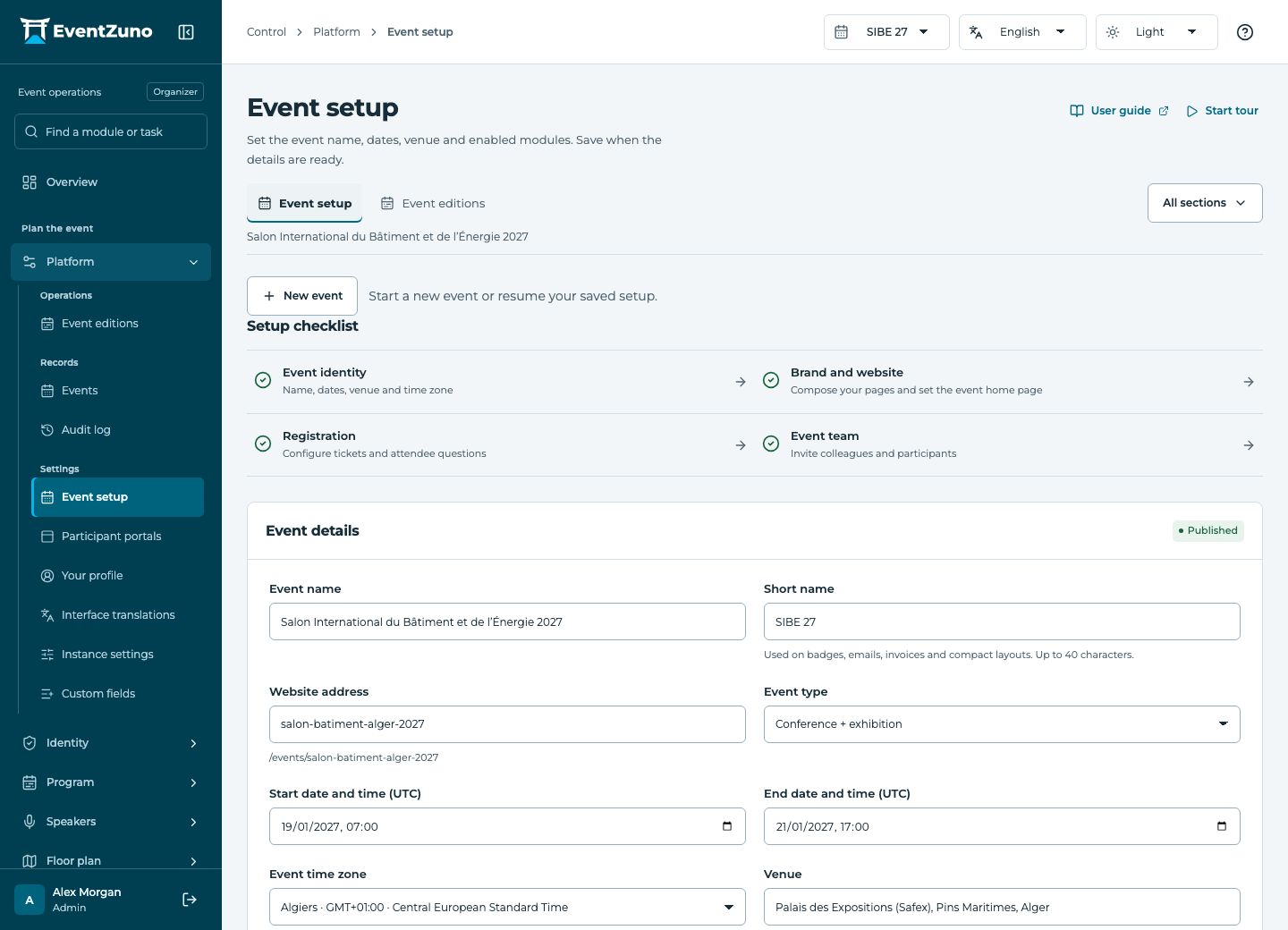
Fields and states
Events
Scope: All events in this deployment.
States: draft, published, live, archived.
| Field | Format | Required |
|---|---|---|
| Slug | Text | Yes |
| Short Name | Text | No |
| Event Type Choices: EX, CF, COMBO, SIMPLE | Choice | No |
| Starts At | Date and time | Yes |
| Ends At | Date and time | Yes |
| Timezone | Text | Yes |
| Venue | Text | No |
| Description | Long text | No |
| Enabled Modules | Structured settings | No |
| Primary Color | Text | No |
| Locale | Text | No |
| Custom Domain | Text | No |
| Website Settings | Structured settings | No |
| Floorplan Settings | Structured settings | No |
| Finance Settings | Structured settings | No |
| Crm Settings | Structured settings | No |
| Onsite Settings | Structured settings | No |
If something is missing
Check the selected event, your role and the enabled modules. If an action fails, keep the entered details and review the error before retrying. Ask an administrator for access rather than sharing another account.