
 Help centre
Floor plan editor
Build a hall map, manage booth availability and decide when the plan is ready for visitors and exhibitors.
Steps
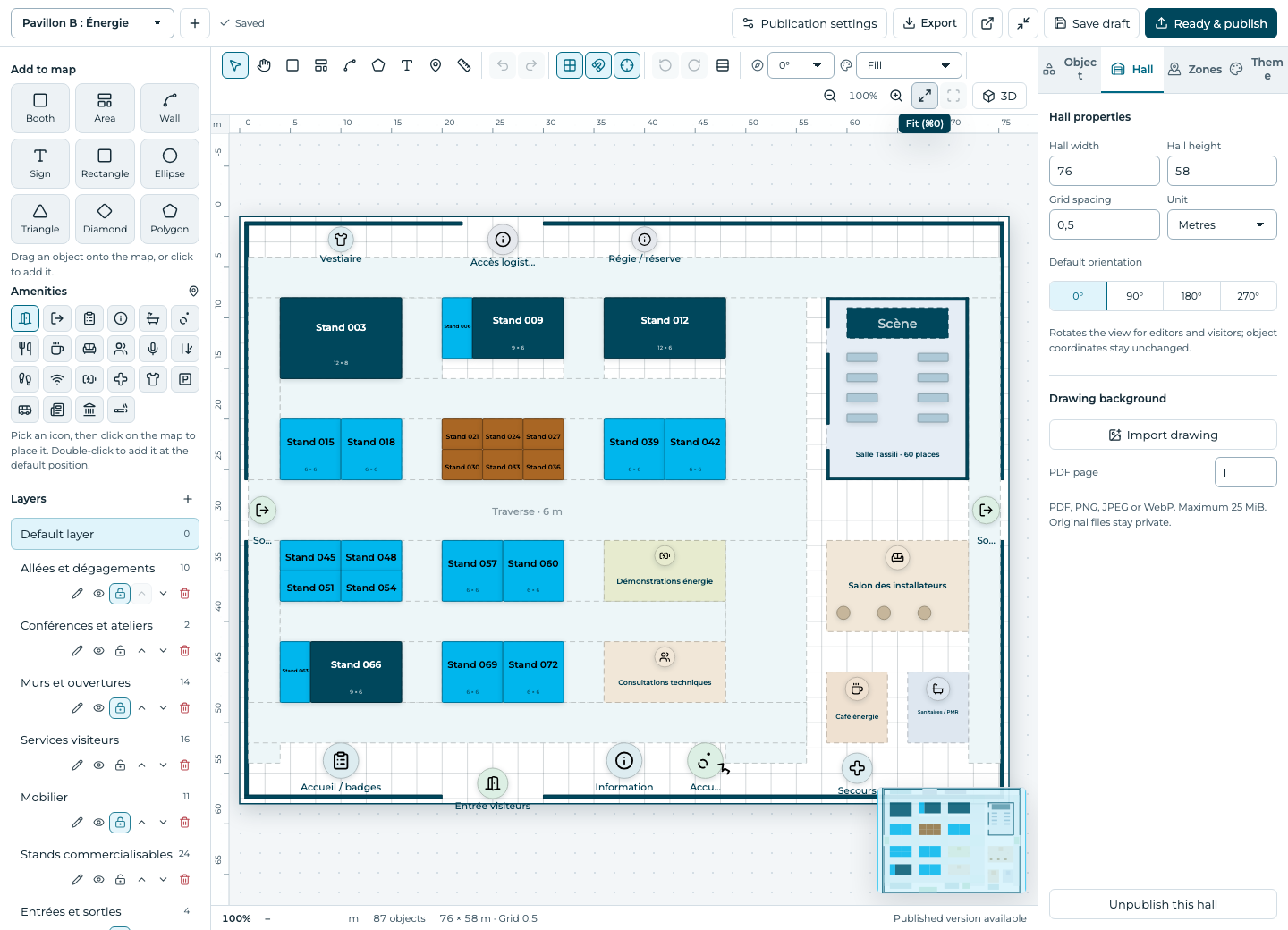
- Select or create a hall and set its dimensions.
- Import a PDF or image as a reference when needed; use the scale and alignment controls.
- Add booths, areas, labels and amenities. Set each booth’s dimensions, number and price zone in the inspector.
- Save the draft, inspect overlaps and bounds, then publish the ready plan.
- Choose separately whether the published plan appears on the website and in exhibitor booth selection.
Fields and states
Halls & floors
Scope: Selected event.
States: draft, active, archived.
| Field | Format | Required |
|---|---|---|
| Width | Number | No |
| Height | Number | No |
| Unit | Text | No |
| Background Url | Text | No |
| Floor | Number | No |
| Layout | Structured settings | No |
Booths
Scope: Selected event.
States: available, on-hold, reserved, sold.
| Field | Format | Required |
|---|---|---|
| Hall Linked to: Halls & floors | Linked record | Yes |
| X | Number | No |
| Y | Number | No |
| Width | Number | No |
| Height | Number | No |
| Price | Number | No |
| Currency | Text | No |
| Booth Type Choices: inline, corner, peninsula, island | Choice | No |
| Zone Linked to: Pricing zones | Linked record | No |
| Hold Expires At | Date and time | No |
| Color | Text | No |
If something is missing
Check the selected event, your role and the enabled modules. If an action fails, keep the entered details and review the error before retrying. Ask an administrator for access rather than sharing another account.