
 Help centre
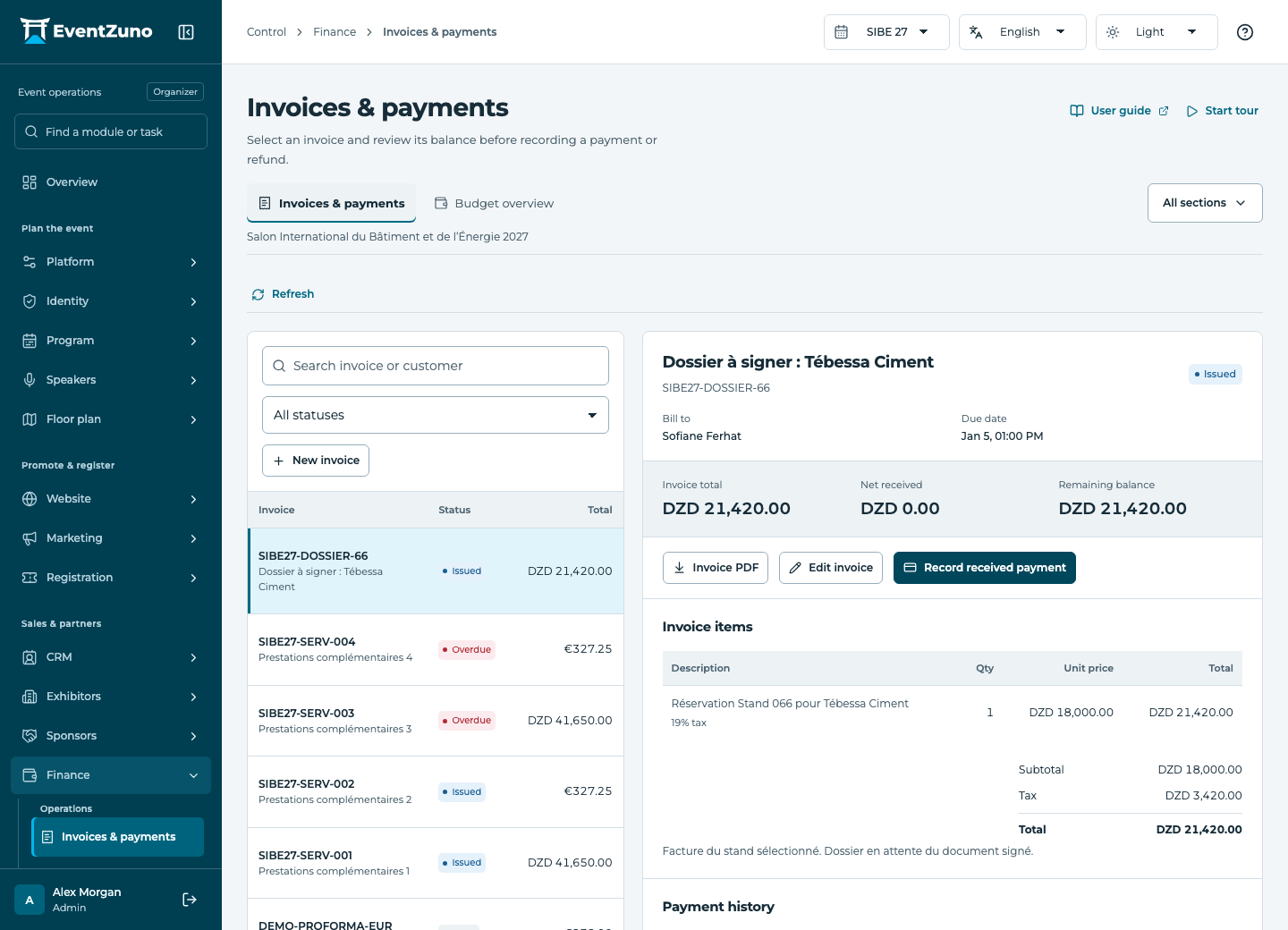
Invoices & payments
Issue invoices, record confirmed payments and refunds, and compare budgets without mixing currencies.
Steps
- Select or create an invoice linked to the correct customer.
- Review line items, quantities, tax and currency before issuing it.
- Download the PDF and confirm the issuer and customer details.
- Record payments with their amount, date and reference only after confirmation.
- Review the remaining balance before recording a refund.
Fields and states
Invoices
Scope: Selected event.
States: draft, issued, paid, overdue, void, credited.
| Field | Format | Required |
|---|---|---|
| Contact Linked to: Contacts | Linked record | No |
| Order Linked to: Orders | Linked record | No |
| Invoice Number | Text | No |
| Line Items | Structured settings | No |
| Subtotal | Number | No |
| Tax | Number | No |
| Total | Number | No |
| Currency | Text | Yes |
| Due At | Date and time | No |
| Notes | Long text | No |
Payments
Scope: Selected event.
States: pending, completed, failed, refunded, partially-refunded.
| Field | Format | Required |
|---|---|---|
| Invoice Linked to: Invoices | Linked record | No |
| Amount | Number | No |
| Currency | Text | Yes |
| Method Choices: manual, bank-transfer, cash, local-checkout | Choice | No |
| Reference | Text | No |
| Paid At | Date and time | No |
| Refunded Amount | Number | No |
If something is missing
Check the selected event, your role and the enabled modules. If an action fails, keep the entered details and review the error before retrying. Ask an administrator for access rather than sharing another account.